SQL to ERD — Your Schema, Visualized
Paste CREATE TABLE statements or a DDL dump and get an editable ER diagram — drag tables, trace foreign keys, group by domain.
No signup required.
CREATE TABLE users (
    id         BIGINT PRIMARY KEY,
    name       VARCHAR(255) NOT NULL,
    email      VARCHAR(255) UNIQUE,
    created_at TIMESTAMP
);

CREATE TABLE posts (
    id         BIGINT PRIMARY KEY,
    user_id    BIGINT REFERENCES users(id),
    title      VARCHAR(255) NOT NULL,
    published  BOOLEAN DEFAULT false
);

CREATE TABLE comments (
    id         BIGINT PRIMARY KEY,
    post_id    BIGINT REFERENCES posts(id),
    user_id    BIGINT REFERENCES users(id),
    body       TEXT NOT NULL
);Used by 600,000+ developers — including teams at






Try it now
Paste SQL, get a diagram
Works with AI
Ask your AI for a DrawSQL link
Get an interactive schema back, not just a wall of SQL text. Works with ChatGPT, Claude, Gemini, Codex — any AI that can generate SQL.
"Design a PostgreSQL schema for a SaaS with organizations, users, and projects. Generate CREATE TABLE SQL, URL-encode it, and include a link in this format: https://drawsql.app/draw?driver=pgsql#ddl=<url-encoded-sql>"
Here's your schema on DrawSQL:
drawsql.app/draw#ddl=CREATE%20TABLE%20organizations%20(...)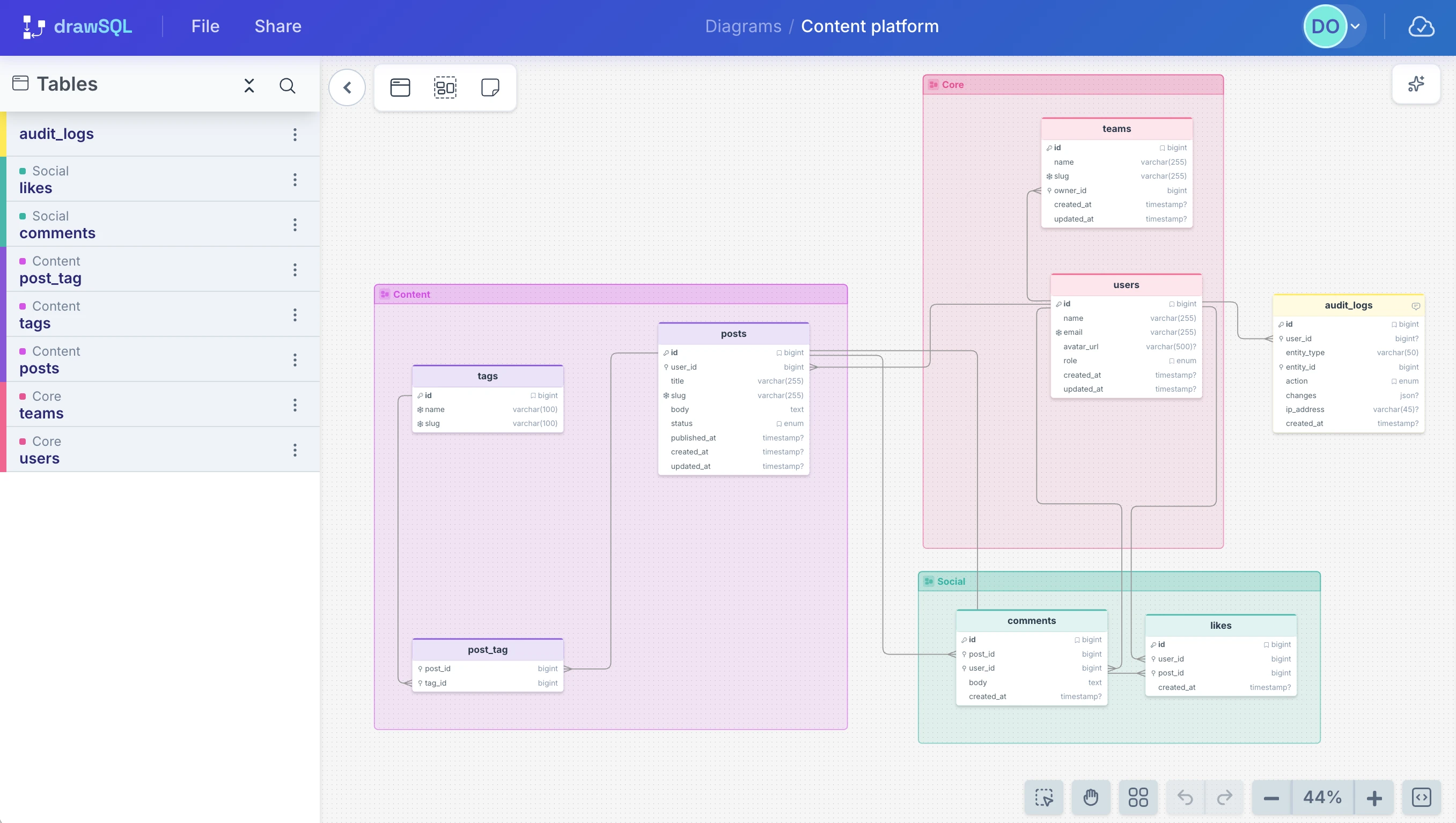
FAQ
Frequently asked questions
Next step
Visualize your SQL now. Save it if it sticks.
No account needed to start. If the diagram becomes useful, save it and bring the team in.
Don't have SQL yet? Ask your AI to generate it. Messy SQL? Format it first.