DBML to ERD — From Code to Canvas
Paste your DBML and get a shared visual canvas of your database schema. It opens ready to edit, no syntax required.
No signup required.
Table customers {
  id         integer [pk]
  name       varchar
  email      varchar [unique]
  created_at timestamp
}

Table orders {
  id          integer [pk]
  customer_id integer [ref: > customers.id]
  status      varchar
  total       decimal
}

Table order_items {
  id         integer [pk]
  order_id   integer [ref: > orders.id]
  product_id integer
  quantity   integer
}

TableGroup Orders {
  orders
  order_items
}Used by 600,000+ developers — including teams at






Try it now
Paste DBML, get a diagram
Bring it with you
Keep the structure you already wrote.
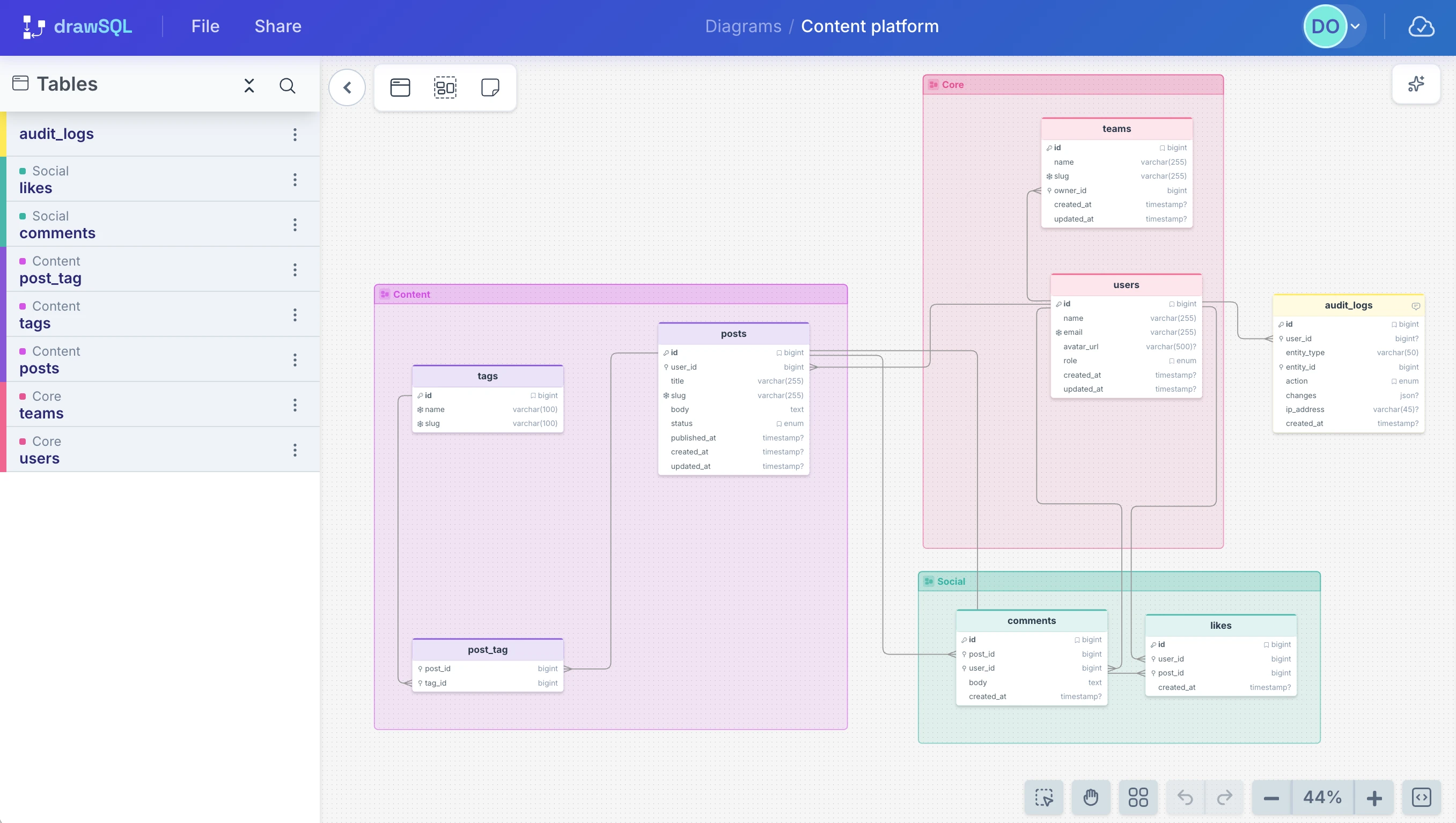
Paste DBML from dbdiagram or your repo, and DrawSQL maps your tables, columns, and foreign keys into an editable ERD. It keeps the parts other tools drop, too: groups, notes, and enums.
Table groups
TableGroup blocks become real canvas groups, not flattened into the layout.
Sticky notes
Standalone Note blocks land on the canvas as sticky notes.
Enums
Enum types map onto every column that uses them, values and all.
drawsql.app/draw
This is what opens
Now do what text-only can’t
Edit on the canvas
Drag tables, rename fields, add columns. No DBML to hand-edit.
Collaborate on the canvas
Invite the team and shape the same diagram together.
AI on the canvas
Describe a change in plain English. It appears on the diagram.
FAQ
Frequently asked questions
Ref:), plus table groups and Note blocks as sticky notes.
Next step
Visualize your DBML now. Save it if it sticks.
No account needed to start. If the diagram becomes useful, save it and bring the team in.
Have raw SQL instead? Paste it directly.